

Standard keyboards are becoming a thing of the past, and the demand for mechanical keyboards has increased. Meanwhile, keyboard manufacturers produce various types of computer keyboards to meet our diverse individual needs.
People have different preferences for the size and layout of computer keyboards. There’s no science to it, and there is no such thing as the "best type of keyboard" in the real world. Factors such as whether you use a numeric keypad, how much desktop space you have, and which keys you use regularly will all affect your choice of keyboard. This article will help you understand the various types of keyboard sizes and layouts to find the right one for you.
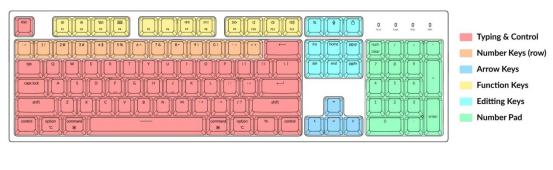
Picture is from "Keyboard Size & Layout Buying Guide"
What are Keyboard Sizes?
You may have seen different types of computer keyboard layouts, but what exactly does "keyboard size" mean?
Specifically, keyboard size refers to the physical dimensions of a computer keyboard, which are directly determined by the number of keys. Mechanical keyboards with more keys tend to be larger, while smaller keyboards have fewer keys.
Another factor affecting modern keyboard size is the layout. Some layouts are more compact with smaller spacing between keys, making the overall size smaller.
Here are some common keyboard sizes and layouts you may encounter in daily work and gaming:
Full-Size Keyboard
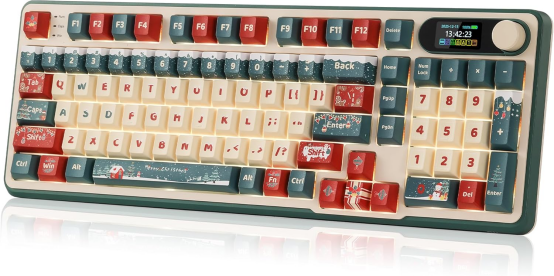
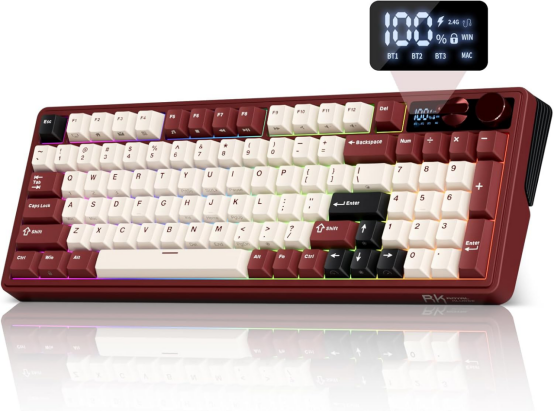
Full-size keyboards are the most common type in use today. However, their popularity does not mean they are the best choice for everyone. Many people find full-size keyboards too bulky or less suitable for fast typing. A 98-key full-size keyboard includes a complete set of keys: function keys, arrow keys, navigation keys, a numeric keypad, and special character keys. It is ideal for users who need to use a variety of keys (including letters and numbers). Royal Kludge also offers full-size keyboards, such as the S98 and M100.
TKL Keyboard
TKL (Tenkeyless) keyboards are also known as 80% keyboards—they lack a numeric keypad. This makes them an ideal choice for gamers and people who don’t frequently perform numerical operations. TKL keyboards retain 88 keys (removing only the numeric keypad), making operation more convenient and easy to adapt to.
75% Keyboard
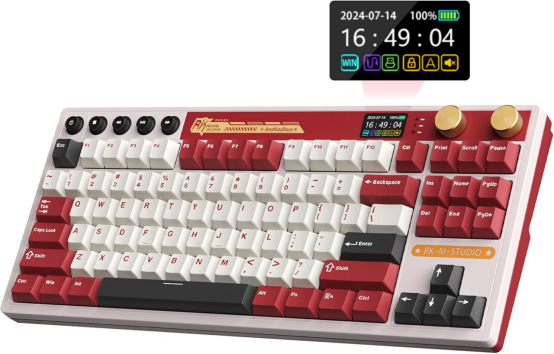
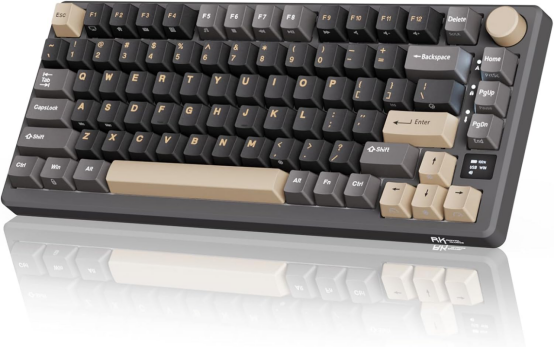
The 75% layout keyboard is based on the TKL design, removing 4 keys (2 navigation keys and the Pause key). Its keys are positioned closer to the CTRL key, giving it a sleek and compact appearance with no loss of functionality compared to TKL keyboards. If you want a more compact design, a 75% keyboard is a great choice. Royal Kludge offers 75% layout keyboards such as the R75 mechanical keyboard and the M75 low-profile mechanical keyboard.

60% Keyboard
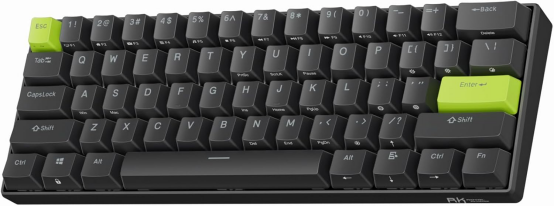
The 60% keyboard layout is one column narrower than the 65% layout. It lacks arrow keys, a numeric keypad, navigation keys, and even a dedicated function key area.
Live streamers have made the 60% keyboard layout popular. If you prefer a tidy, space-saving design, this is a great choice. However, if you frequently use function or arrow keys, the 60% layout may not be suitable for you.
Royal Kludge also offers a 60% keyboard on Amazon—the C61. It features RT triggers in the 60% layout, which can enhance your gaming performance.
What are Keyboard Layouts?
Keyboard layout affects the safety, smoothness, and speed of typing. Some users have noticed that different layouts can even change their gaming experience, and they want to know how to choose the right layout for a better experience.
You’ve likely seen keyboard layouts that differ from what you used in your early years. These layouts aren’t new—keyboards with different configurations have existed for a long time.
To choose the right keyboard, you also need to understand keyboard layouts. Each layout serves a different purpose and has unique functionality. Below we detail them to help you make an informed choice.
QWERTY Keyboard
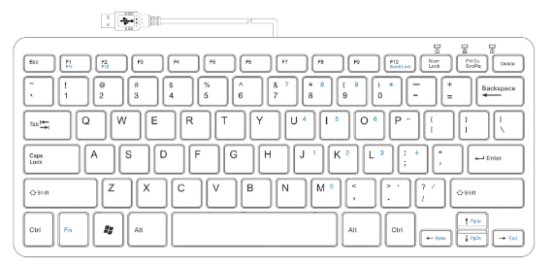
Nowadays, the QWERTY layout is the most common and widely used in daily life. Invented in the 1870s, it was designed to slow down typing to prevent typewriter keys from jamming when typed too quickly.
Picture is from X
QWERTZ Layout
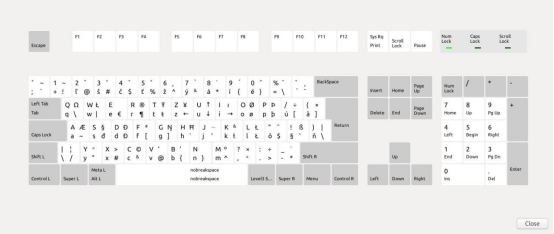
Like the AZERTY layout, QWERTZ is a modified version of QWERTY, primarily used in Central European countries where German is spoken (such as Germany, the Czech Republic, and Austria). The layout may vary slightly from country to country.
Picture is from stackexchange.
Unconventional Keyboards
Unconventional keyboard layouts are not classified by size, which is why they are called "non-traditional" keyboards. This category includes ergonomic split mechanical keyboards, orthogonal linear keyboards, and macro keyboards.
Split keyboards are divided into two parts, ergonomically separating the left and right hand key areas to prevent slouching or shoulder strain. They are often used as ergonomic programming keyboards.

Macro keyboards are small auxiliary keyboards that can be used alongside a regular keyboard to improve efficiency.
Conclusion
With technological progress and diverse user needs, various keyboard sizes and layouts have emerged to meet different requirements. Whether it’s full-size, compact keyboards, or layouts like QWERTY, AZERTY, and QWERTZ, each design has unique advantages for specific scenarios. Choosing the right keyboard depends on your personal typing habits, as well as the keyboard’s functionality, size, and layout. Understanding your needs and preferences is key—selecting the right keyboard can improve typing efficiency, enhance the user experience, and better meet the demands of daily work or gaming.
Q&A
What causes the keyboard to use the QWERTY layout?
The QWERTY layout was first used on typewriters to minimize key jams—fast typing would cause typewriter keys to get stuck, so QWERTY was designed to slow typing down. As the oldest keyboard layout, it is still widely used today.
How do I change the keyboard layout in Windows 11?
If you have added multiple keyboard layouts to Windows 11, you can select the desired layout from the Keyboard Layout option in the taskbar. An easier way is to press the Windows key + Space bar simultaneously to switch between layouts.
How can I choose the best keyboard layout for me?
While QWERTY is the oldest and most widely used layout, the Dvorak layout is often considered more ergonomic and efficient. With optimized key positioning, long-term use of Dvorak can significantly increase typing speed compared to QWERTY.
How to define a standard layout?
QWERTY is recognized as the standard keyboard layout because it is used on most keyboards with the Latin-based English alphabet, and it is one of the oldest layouts originally designed for typewriters.
Is the keyboard layout important?
Yes, keyboard layout greatly impacts typing speed, comfort, and safety. The right layout not only reduces the risk of wrist injuries but also improves overall typing efficiency.